
Before You Tap “Start”: Get More From Your Navigation App |
Unexpected shortcuts can make an unfamiliar drive stressful. A few settings, a route preview and an offline backup can help you prepare. |
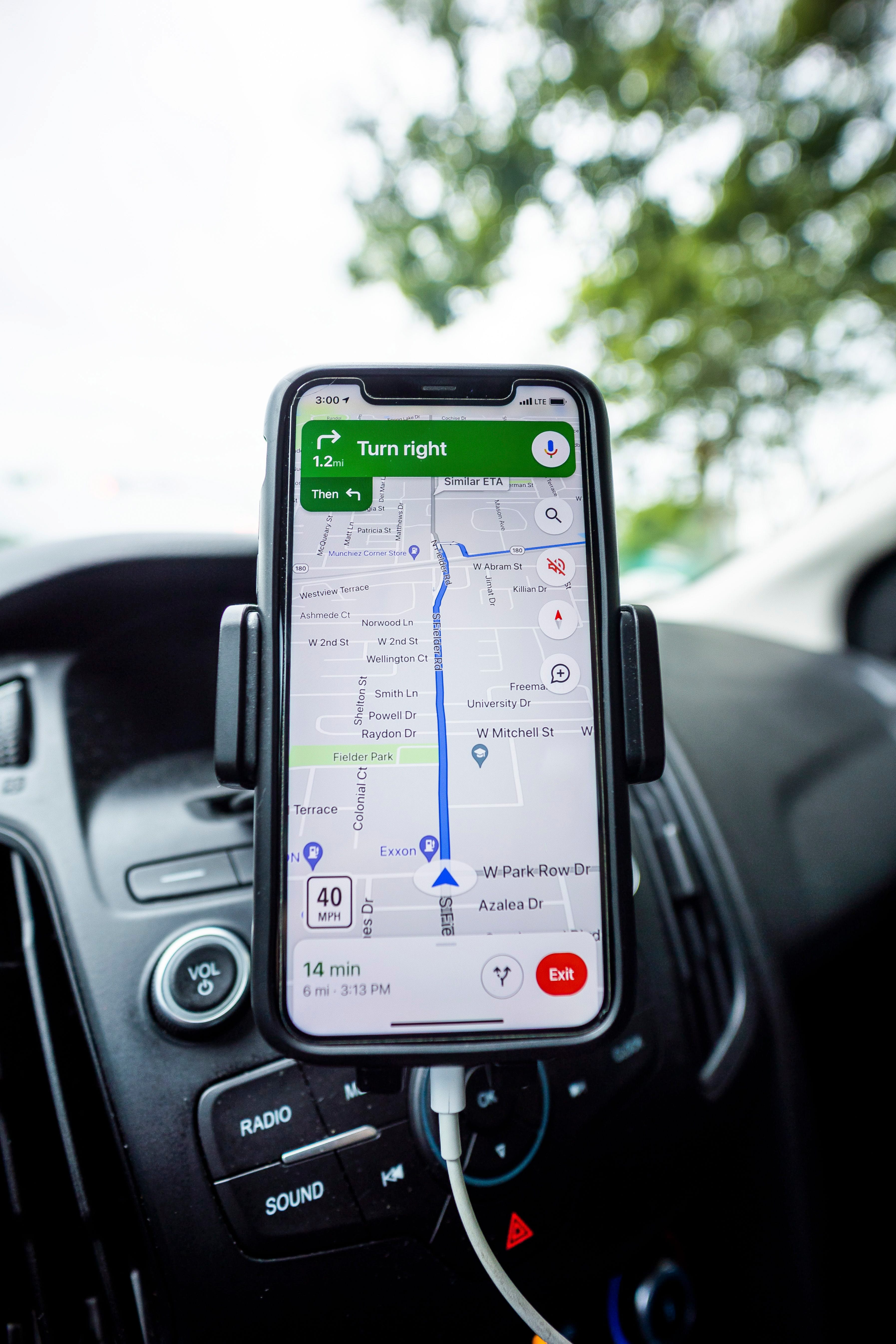
You enter an address, tap “Start” and follow the voice. Then comes an unexpected turn that takes you off the main road.
A recent journey in Johannesburg brought that experience into focus. Private investigator Brad Nathanson told Caxton Network News that his navigation directed him through Alexandra at night while he was travelling to Sandton. He said he felt uncomfortable amid poor lighting and non-working traffic lights; the report did not describe an attack on him or identify the app he used.
If you're driving to an unfamiliar appointment, restaurant, or overnight stop, there are useful checks to make before you leave.
Why does the app send you that way?
Navigation apps use traffic information and estimated travel times to calculate routes. Google says its routing draws on past and present traffic data and information from partners. A route that looks unusual to you may appear quicker according to that information.
Your settings can also influence the suggestion. In Waze, “Avoid freeways” or “Avoid toll roads” changes route preferences, and those choices carry over to future drives. A setting selected for an earlier trip may still be active.
Five checks before you leave
Waze lets you preview alternatives through “View routes” before departure. The AA also recommends planning an alternative route.
Would updating or changing apps help?
Keep your app updated, so you have its latest supported features. Google recommends installing the latest Maps version, but an update should not be mistaken for a guarantee that a suggested route is safe.
Comparing Google Maps and Waze before departure can provide a second view of the journey. There isn't enough evidence to recommend one as the safer choice for Johannesburg.
One detail worth knowing: Waze’s documented high-risk-area alerts do not currently cover South Africa. Its help page lists Israel and limited areas of Rio de Janeiro, Brazil. Do not assume that a lack of warning means a route has been assessed for local crime risk.
Save a map for when the signal drops
Google Maps can provide offline driving directions if the entire route falls within your downloaded area. Download enough of the surrounding area to cover the journey, and keep saved maps updated.
There is a limitation: offline driving does not include live traffic information or alternative routes. It is a useful connectivity backup, rather than a replacement for checking conditions before travelling.
If the directions become confusing
Keep your attention on the road. A missed turn is not worth a sudden lane change or unsafe U-turn.
Ask a passenger to check the route, or park somewhere suitable before handling your phone. Follow road signs, closures and lawful traffic instructions even when the screen suggests otherwise.
If you discover an incorrect road or direction, report it afterwards:
The Bottom Line
A quick route preview can reveal an unwanted setting, an unfamiliar shortcut or the wrong entrance before you leave. Combine your navigation app with directions from your destination, and give yourself enough time to arrive without rushing. |
More from Joburg Insider

Nov 3, 2026
One Binder, Clear Steps, Useful Information
One binder, clear sections and a few essential pages can help your family find important information when you cannot guide them.

Nov 3, 2026
Prepare Before Bringing a Pet Home
A home inspection, permission to keep pets and introductions to existing animals form part of finding the right match.

Nov 2, 2026
A Chance to Earn the Green and Gold
Two Bulls players are among the uncapped selections in Rassie Erasmus’s squad for November’s Nations Championship Tests.
Nov 2, 2026
Find Your Place in Local Community Action
Find practical ways to support your Johannesburg neighbourhood through residents’ associations, organised community action and better municipal fault reporting.
0 Comments
Join the conversation
Be the first to comment
Share your thoughts above.